How do I force an email to go to the Junk Email Folder?
Typically you need to do this when spam still manages to reach the recipient Inbox. In this case you can force the email to be filtered as follows:
-
From Exchange determine the Junk Folder threshold. You can see how to do this from the following article:
How do I configure emails to be deposited to the junk email folder?
NOTE: We will assume the current Junk Email Threshold is set to 4 in the steps that follow.
Analyse the headers for the email to be blocked. You need to identify some keywords based on which you can safely filter the email. The key point here is to choose keywords that would not appear in a legitimate email.
From the IMF Tune configuration select SCL Rules | Simple SCL Rules.
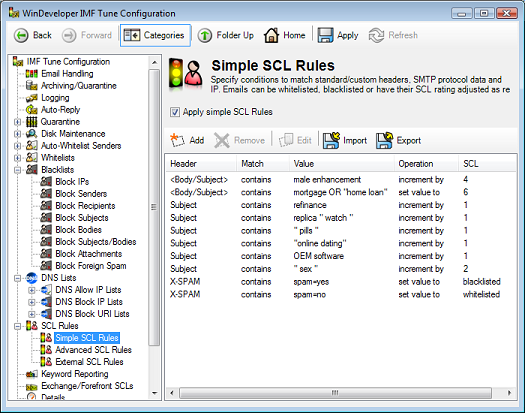
Click on Add to create a new Simple SCL mapping.
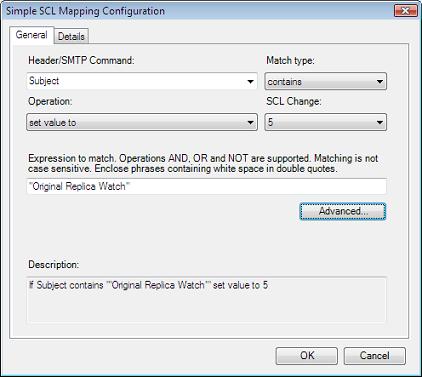
Fill in the Header Name, type of matching and Header Value fields based on the email characteristics identified in step 2.
From the Operation combo box select 'set value to'.
Since in step 1 we identified the Store Junk Email SCL to be 4 set the new SCL to 5.
Save changes to apply the new filter.