How do I enable the Exchange Content Filter/Forefront Anti-Spam?
You need to make sure that the Exchange Content Filter or Forefront Protection 2010 for Exchange Anti-Spam is enabled for IMF Tune to work.
The filter enablement procedure varies depending on the Exchange version. Thus make sure to follow the procedure matching your current Exchange installation.
Enabling the Content Filter - Exchange 2007/2010/2013/2016/2019
The Content Filter forms part of a set of anti-spam transport agents that ship with Exchange 2007 up to 2019. These must be run on a server having the Edge or Hub transport server role.
As from Exchange 2013 a distinct Hub Transport server role is no longer available. Instead the Hub Transport is included with the Mailbox Server role. Thus the Content Filter agent is run on the Mailbox Server role.
Depending on your specific Exchange version you may need to manually install the anti-spam agents from the command shell. The installation script is located under:
<Exchange Server dir.>\Scripts\install-AntispamAgents.ps1
On the Exchange Edge/Hub transport server machine, open the Exchange Management Shell.
Change directory to: <Exchange Server dir.>\Scripts\
Run> .\install-AntispamAgents.ps1
Restart the MS Exchange Transport service
With the Anti-spam agents installed make sure the Content Filter is enabled. From the Exchange Management Shell run:
Get-ContentFilterConfig | List
Check that Enabled is set to True. Otherwise run the following to enable it:
Set-ContentFilterConfig -Enabled $true
Enabling Forefront Protection 2010 for Exchange Anti-Spam
Forefront Protection 2010 for Exchange does not enable anti-spam filtering by default. At installation time we get the following selection:
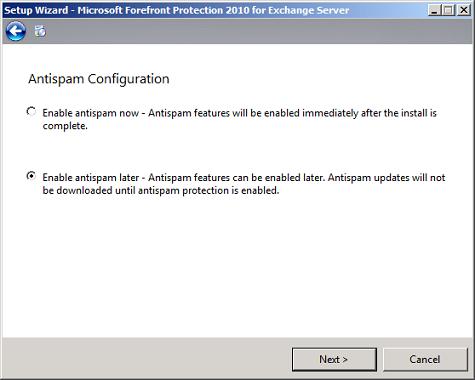
The default here is that to keep anti-spam disabled. So unless this is changed, FPE completes the installation without even creating the Forefront content filter agent.
Moving to the Forefront administrative console, we can enable anti-spam from:
Policy Management | Antispam | Configure | Enable Antispam Filtering
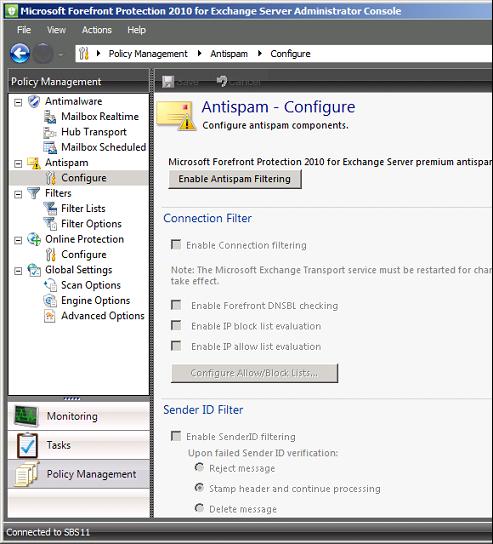
Clicking the 'Enable Antispam Filtering' enables the Forefront Content Filter.
Enabling IMF Tune
Open the IMF Tune configuration.
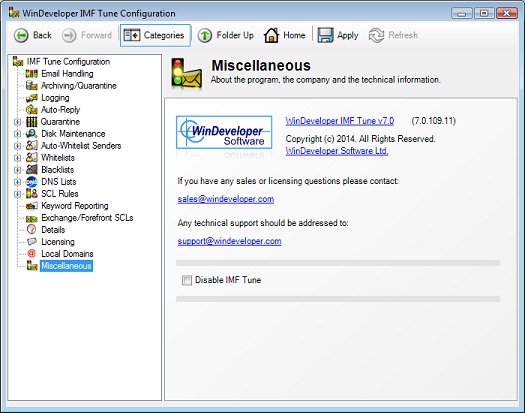
Under the Miscellaneouse category make sure the 'Disable IMF Tune' checkbox is cleared and click OK to save changes.